
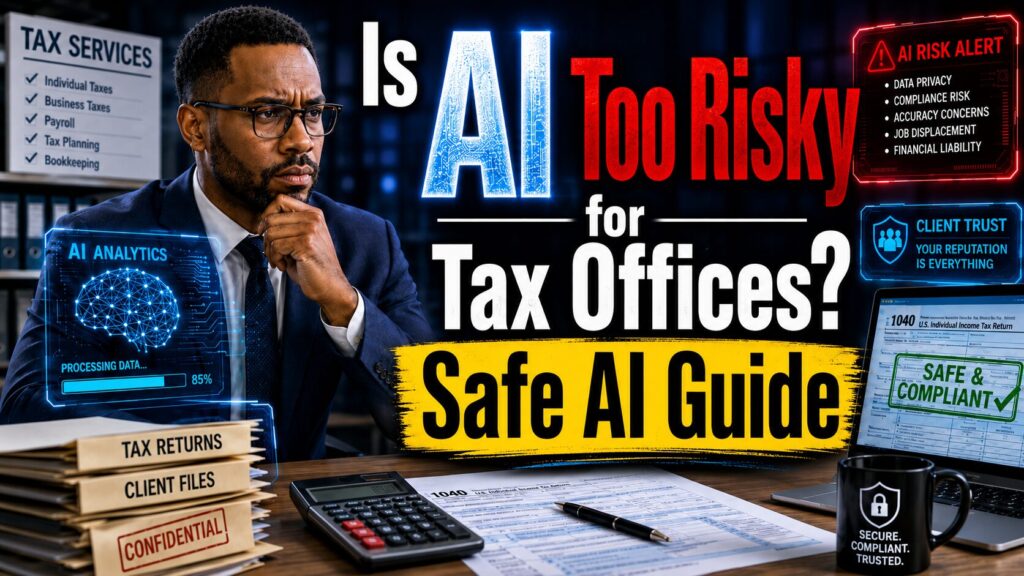
Artificial intelligence is moving fast. Every day, small business owners are being told to use AI or risk falling behind. AI tools can write emails, answer common questions, create marketing posts, summarize documents, schedule appointments, automate follow-ups, and help business owners save hours of manual work.
But for a tax preparation office, the conversation is different.
A tax office is not just another small business. It handles some of the most private information a client can share. Social Security numbers. W-2 forms. 1099s. Bank statements. IRS notices. Payroll records. Dependent information. Business income. Deductions. Identity documents. Personal addresses. Employer details. Financial records.
That means AI cannot be treated like a toy, shortcut, or trendy software tool.
For a tax preparation office, AI has to be handled with care.
The big question many tax professionals are asking is simple:
Is AI too risky for my tax preparation office?
The honest answer is this:
AI is risky when it is unmanaged, unsecured, and used without human review. But AI can be extremely useful when it is implemented responsibly.
The real danger is not AI itself. The danger is uncontrolled AI.
When staff copy and paste private client information into random public tools, that is risky. When AI-generated tax advice is sent to clients without review, that is risky. When a tax office has no policy, no approval process, no privacy rules, and no training, that is risky.
But when AI is used the right way, it can help a small tax office reduce repetitive work, improve client communication, organize workflows, respond faster, and compete with larger firms.
The key is not to use AI everywhere.
The key is to use AI safely.
Why Tax Preparation Offices Must Be Extra Careful With AI
Tax preparation offices are built on trust.
Clients are not just paying someone to complete a form. They are trusting a professional with their financial life. They expect accuracy, privacy, confidentiality, and good judgment.
That trust can be damaged quickly if AI is used the wrong way.
Imagine a client finding out their private tax information was copied into an AI tool that the office did not properly approve. Imagine a client receiving an AI-generated answer about deductions that turns out to be wrong. Imagine an employee using AI to respond to an IRS notice without a qualified tax professional reviewing the response.
That is not innovation.
That is a business risk.
Tax offices must be extra careful because mistakes can create serious consequences. A wrong answer may cause a client to file incorrectly. A privacy mistake may damage the office’s reputation. A poor workflow may expose sensitive information. A weak approval process may allow inaccurate content to reach clients.
AI should never become the final authority inside a tax office.
AI can assist.
AI can draft.
AI can organize.
AI can summarize.
AI can remind.
AI can support workflows.
But the tax professional must remain in control.
That is the difference between responsible AI and risky AI.
The Real Problem Is Not AI — It Is Uncontrolled AI
Many small business owners think the risk comes from AI itself. But most of the risk comes from how AI is used.
A hammer can build a house or break a window. Email can improve communication or expose private information. Cloud storage can help organize documents or create a security problem if it is mismanaged.
AI works the same way.
The problem is not that AI exists. The problem is when a tax office uses AI without structure.
Uncontrolled AI happens when employees use random AI tools without approval. It happens when staff members copy sensitive client data into public platforms. It happens when AI-generated information is trusted without review. It happens when the office has no written policy explaining what is allowed and what is prohibited.
That is where the danger starts.
A smart tax office needs an AI process before it needs more AI tools.
That process should answer basic questions:
Which AI tools are approved?
What information can staff enter into AI?
What information is prohibited?
Who reviews AI-generated content?
What tasks are safe to automate?
What tasks require professional approval?
Without those answers, the office is not using AI strategically. It is guessing.
And guessing is not a good strategy when client trust is on the line.
Where AI Should Not Be Used First
The biggest mistake a tax preparation office can make is starting with high-risk AI use cases.
Do not start by asking AI to prepare tax returns.
Do not start by uploading full client tax files into random tools.
Do not start by letting AI answer tax law questions directly to clients.
Do not start by using AI to respond to IRS notices without review.
Do not start by letting every employee choose their own AI tool.
That is the wrong starting point.
Tax preparation requires professional judgment. AI can sound confident even when it is wrong. It can misunderstand context. It can produce outdated information. It can leave out important details. It can generate an answer that sounds professional but does not fit the client’s facts.
In tax work, sounding right is not enough.
The answer must be accurate. It must be reviewed. It must be tied to the client’s actual situation.
That is why AI should not be used as a replacement for professional tax judgment.
A better approach is to start with lower-risk office tasks that support the business without making final tax decisions.
Safe AI Use Case 1: Client Appointment Reminders
One of the safest and most useful ways a tax office can use AI is for appointment reminders.
During tax season, missed appointments and missing documents create chaos. Clients forget their W-2s. Business owners forget receipts. Self-employed clients forget mileage records. Parents forget dependent documents. Retirees forget income statements.
Every missing document creates more work for the office.
AI can help by drafting reminder messages before appointments.
For example, a tax office can send a message that says:
“Your tax appointment is coming up. Please bring your W-2s, 1099s, photo ID, Social Security cards, dependent information, business income records, receipts, and any IRS letters you received.”
This type of message is helpful, simple, and low risk.
The office can create different reminders for different client types:
New clients.
Returning clients.
Self-employed clients.
Small business owners.
Rental property owners.
Gig workers.
Retirees.
AI can help draft the messages. The office reviews and approves them. Then the reminders can be sent through email, text, or a scheduling system.
This saves time and helps clients arrive prepared.
Safe AI Use Case 2: Document Checklist Automation
Document checklists are another smart AI use case for tax offices.
Many clients do not know what documents they need. They may not understand the difference between a W-2 and a 1099. They may forget bank interest forms. They may not realize business receipts matter. They may not know what documents are needed for education credits, dependents, retirement income, unemployment income, or self-employment income.
AI can help the office create simple, client-friendly checklists.
Examples include:
Documents to bring if you are self-employed.
Documents to bring if you own a small business.
Documents to bring if you have rental income.
Documents to bring if you received unemployment.
Documents to bring if you had a new child.
Documents to bring if you bought a home.
Documents to bring if you received an IRS notice.
These checklists do not have to give detailed tax advice. They can simply help clients prepare.
This improves the client experience. It reduces back-and-forth communication. It helps staff collect information faster. It makes the office look more organized and professional.
Most importantly, it supports the tax professional instead of replacing them.
Safe AI Use Case 3: Missed Call Follow-Up
Tax season can overwhelm small offices. Phones ring all day. Staff members are helping clients. New leads call and leave voicemails. Some do not leave messages at all. Others call the next tax office.
Missed calls can become missed revenue.
AI can help create missed-call response workflows.
For example:
“Thanks for contacting our tax office. We are currently helping other clients. Please reply with your name, tax filing need, preferred appointment time, and whether you are a new or returning client. A team member will follow up shortly.”
This is a simple but powerful workflow.
It does not provide tax advice. It does not require sensitive client data. It simply helps the office respond faster.
Speed matters in local service businesses. The office that responds first often wins the client.
AI can help small tax offices look more responsive and professional, even during peak season.
Safe AI Use Case 4: Client Education Content
Tax offices can also use AI to create educational content.
This is one of the biggest marketing opportunities for small tax preparation businesses.
Most tax offices only communicate with clients during tax season. But clients need education all year. Small business owners need reminders. Gig workers need guidance. Families need planning tips. Self-employed professionals need help staying organized.
AI can help draft blog posts, social media captions, email newsletters, and frequently asked questions.
Examples of content topics include:
What documents should you keep for tax season?
Why small business owners should separate personal and business expenses.
What gig workers should know before filing taxes.
Why tax planning should not wait until April.
What to do if you receive an IRS notice.
Why bookkeeping matters before tax season.
How to prepare for your first tax appointment.
This type of content builds trust. It helps clients feel informed. It keeps the tax office visible. It gives people a reason to follow the business online.
But there must be one rule:
A tax professional should review the content before it is published.
AI can draft. The human expert must approve.
Safe AI Use Case 5: Internal Workflow Support
AI can also help tax offices organize internal workflows.
A small tax office may have many moving parts during busy season. New client intake. Returning client files. Missing documents. Payment status. Appointment schedules. Review stages. Follow-up reminders. IRS notice support. Business client requests.
Without a system, everything becomes harder.
AI can help create internal task lists, workflow templates, standard operating procedures, and process checklists.
For example, AI can help draft a workflow for:
New client intake.
Document collection.
Appointment confirmation.
Missing document follow-up.
Return review process.
Final client approval.
Invoice and payment follow-up.
Post-filing communication.
These workflows help the office stay consistent.
Consistency reduces mistakes. It helps seasonal staff follow the process. It improves the client experience. It allows the owner to spend less time repeating instructions.
This is one of the most overlooked benefits of AI.
AI is not only useful for content. It can help a business build better systems.
Human Review Is Not Optional
For a tax preparation office, human review is not optional.
AI should never become the final voice on tax guidance. Any AI-generated message involving deductions, credits, filing status, IRS notices, dependents, business income, tax planning, or compliance should be reviewed by a qualified tax professional before it reaches a client.
This protects the business and the client.
AI can be fast, but speed is not the same as accuracy. AI can produce confident answers, but confidence is not the same as expertise. AI can create professional-sounding content, but professional language does not guarantee correct information.
The best way to think about AI is this:
AI is a fast assistant, not the boss.
It can help prepare drafts. It can organize information. It can summarize general topics. It can create reminders. It can suggest workflows.
But the human tax professional must make the final decision.
That is how a tax office can gain efficiency without losing accountability.
Client Privacy Must Come First
The biggest concern for a tax preparation office is client privacy.
Before using AI, the office owner should ask one question:
What client information is going into this tool, and where does that information go?
If the office cannot clearly answer that question, the tool should not be used for sensitive client data.
A tax office should be extremely careful with:
Social Security numbers.
Bank account numbers.
Full tax documents.
IRS notices.
Driver’s license information.
Dependent details.
Payroll records.
Employer identification numbers.
Business financial statements.
Client addresses tied to financial data.
These should not be copied into public AI tools without proper security, approval, and business controls.
The office should also train employees on data handling.
Staff should know what information is allowed, what information is prohibited, and what information requires manager approval.
This matters most during tax season, when the office is busy and people are tempted to take shortcuts.
Shortcuts with private client data can become expensive mistakes.
Every Tax Office Needs a Simple AI Policy
A tax office using AI should have a written AI policy.
This does not have to be a 50-page document. It can start as a simple one-page office rule sheet.
The policy should explain:
Approved AI tools.
Prohibited AI tools.
Data that can never be entered into AI.
Tasks AI can support.
Tasks AI cannot perform.
Review requirements.
Employee responsibilities.
Manager approval rules.
A basic policy protects the office from confusion.
Without a policy, every employee may make their own decision. One person may use AI carefully. Another person may use it dangerously without realizing the risk.
A written policy creates structure. It also helps train seasonal workers.
The policy should be reviewed before tax season begins and updated as tools and workflows change.
The goal is not to scare employees away from AI.
The goal is to help them use it responsibly.
How AI Can Help Small Tax Offices Compete
Large tax firms already use automation. They have online portals, digital intake systems, automated reminders, call centers, workflow dashboards, and marketing systems.
Small tax offices often compete with fewer resources.
Maybe the owner is also the lead preparer. Maybe the staff is seasonal. Maybe one person is answering phones, scheduling appointments, collecting documents, sending follow-ups, and trying to keep clients calm.
That is a lot.
AI can help small offices compete smarter.
It can help the office respond faster. It can help clients arrive prepared. It can help staff reduce repetitive work. It can help the business create content. It can support better follow-up. It can improve professionalism.
This matters because clients judge the business by the experience.
Did the office respond quickly?
Did the office explain what to bring?
Did the office follow up?
Did the office make the process clear?
Did the office protect their information?
AI can support all of those areas when used correctly.
The Best Starting Strategy: Start Small and Scale
A tax preparation office should not try to automate everything at once.
The smarter approach is to start small.
First, identify repetitive tasks that waste the most time. Then separate those tasks into three categories: low-risk, medium-risk, and high-risk.
Low-risk tasks may include appointment reminders, document checklist templates, general marketing content, review request emails, and basic office FAQs.
Medium-risk tasks may include client intake summaries, draft responses, and internal workflow notes that require review.
High-risk tasks include tax advice, return preparation decisions, IRS notice responses, and anything involving sensitive financial data.
Start with low-risk tasks first.
Pick one workflow. Test it. Review it. Train the team. Measure the results. Then expand carefully.
This prevents the office from creating unnecessary risk.
AI adoption should feel controlled, not chaotic.
The Business Benefits of Responsible AI
When AI is used responsibly, it can create real business benefits for a tax preparation office.
It can save time.
It can improve client communication.
It can reduce missed appointments.
It can help clients bring the right documents.
It can support faster follow-up.
It can create marketing content.
It can help seasonal staff follow consistent processes.
It can reduce stress during tax season.
It can make the business look more professional.
These benefits matter because tax preparation is seasonal, deadline-driven, and relationship-based.
Every hour saved matters. Every client interaction matters. Every missed follow-up matters. Every document delay matters.
AI will not fix a broken business process by itself.
But it can make a good process faster and stronger.
FAQ: AI and Tax Preparation Offices
1. Is AI safe to use in a tax preparation office?
AI can be safe when used with clear rules, approved tools, human review, and strong data privacy practices. It becomes risky when staff use random tools, enter sensitive client data, or send AI-generated tax guidance without review.
2. Can AI replace tax preparers?
No. AI should not replace tax professionals. Tax preparation requires judgment, accuracy, client understanding, and professional responsibility. AI can support administrative tasks, drafts, reminders, checklists, and workflow organization, but humans must remain in control.
3. What should a tax office never enter into public AI tools?
A tax office should avoid entering Social Security numbers, bank details, complete tax documents, IRS notices, driver’s license information, dependent information, payroll records, and private financial statements into public AI tools unless the system is approved, secure, and properly governed.
4. What are the safest AI tasks for a tax office?
Safe starting points include appointment reminders, document checklist templates, missed-call follow-ups, review request emails, general educational content, internal task lists, and workflow templates.
5. Does a tax office need an AI policy?
Yes. A tax office should have a written AI policy that explains approved tools, prohibited data, acceptable use cases, review steps, and employee responsibilities. This protects the business, staff, and clients.
6. Can AI help a tax office get more clients?
Yes. AI can help create marketing content, follow up with leads faster, respond to missed calls, send email campaigns, and improve client communication. When used correctly, AI can help a small tax office look more professional and responsive.
7. Should AI answer client tax questions?
AI can help draft responses, but a qualified tax professional should review any answer involving deductions, credits, IRS notices, filing status, business income, dependents, or tax planning before it is sent to a client.
8. What is the biggest AI risk for tax offices?
The biggest risk is uncontrolled AI use. This includes entering sensitive client data into public tools, trusting AI-generated tax guidance without review, and allowing employees to use AI without a clear policy.
Final Thoughts: AI Is Not Too Risky When Used the Right Way
AI is not too risky for tax preparation offices.
Careless AI is too risky.
Uncontrolled AI is too risky.
Unsecured AI is too risky.
AI without human review is too risky.
AI without a policy is too risky.
But responsible AI can be a powerful tool for small tax offices.
It can help reduce repetitive work, improve client follow-up, organize document collection, create educational content, and reduce seasonal stress.
The future of tax preparation is not AI versus humans.
The future is AI supporting trusted tax professionals.
The tax offices that win will not be the ones that blindly chase every new tool. They will be the offices that protect client trust, use technology wisely, and build smarter systems around professional judgment.
The question is not:
“Can AI replace my tax office?”
The better question is:
“Where can AI safely remove repetitive office chaos without putting client trust at risk?”
That is where the opportunity begins.
Call to Action
If you own a tax preparation office, bookkeeping service, accounting firm, or local professional service business, now is the time to review your workflow before the next busy season.
Look at your client intake process, appointment reminders, document collection, missed-call follow-up, client education, and seasonal marketing.
Do not use AI blindly.
Do not avoid it completely.
Use it responsibly.
Start small. Protect client data. Keep humans in control. Build workflows that save time without sacrificing trust.
For more AI automation, small business growth, and digital transformation strategies, subscribe to the Grow with Technology YouTube channel.
Follow @growwithtechnology704 on Instagram and Facebook.
Visit www.growwithtechnology.com.
Listen to the Grow with Technology podcast on Spotify.
Work smarter. Stay secure. Grow faster.